

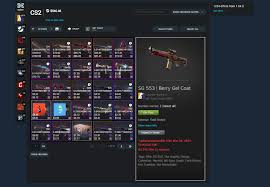

Steam is one of the biggest gaming platforms in the world, but it can still be confusing when it comes to account identification. Players often hear terms like SteamID, SteamID64, custom profile URL, and trade links, and they’re not always sure what these mean.
If you want to check your CS2 inventory, view another player’s items, or use third-party tracking tools, you’ll often need the correct Steam ID format. That’s why using a simple tool like the Steam id finder saves time and prevents mistakes.
What is a Steam ID?
A Steam ID is basically your account’s unique identifier. Steam has several formats for IDs, and different sites use different versions.
The most common ones include:
- SteamID (classic format)
- SteamID3
- SteamID64 (the most widely used for tools)
- Your Steam profile link (custom or numeric)
For players who trade skins, manage inventories, or play matchmaking games like CS2, knowing your Steam ID helps you connect to tools faster.
Why you may need SteamID64
SteamID64 is widely used because it works reliably across many services:
- Inventory checking sites
- Trading platforms
- Stats trackers
- Ban check tools
- Tournament systems
Instead of guessing which format is correct, you can instantly find it using the Steam id finder.
Steam ID and inventory tools go together
Most inventory-related services need a Steam identifier to fetch your public inventory data. If your inventory is public, tools can display your items quickly. If your inventory is private, it may not show properly.
Once your ID is found, you can use it to check things like your CS2 inventory value. This is extremely useful for skin collectors, traders, and players who want a quick overview of their inventory worth.
How to avoid scams when sharing Steam IDs
Sharing your Steam ID is generally safe. It is not a password. However, scammers sometimes use Steam IDs to impersonate users or create convincing fake profiles. Here are some common safety tips:
- Never share Steam login codes
- Avoid clicking suspicious “trade confirmation” links
- Always confirm the real profile URL
- Use Steam’s mobile authenticator for trades
Having the correct ID also helps you verify that you’re interacting with the correct account during trades.
Useful for CS2 and Dota 2 players
Steam ID tools are not only for CS2. Dota 2 item collectors also rely on inventory tools for pricing and tracking. If you play both games, you might want to track everything in one place.
For Dota cosmetics, you can check your Dota inventory value and see how your rare items, bundles, or arcanas stack up in total value.
Common reasons people search for Steam IDs
People typically use a Steam ID finder when they want to:
- Check inventories for trading
- Use Steam APIs or third-party services
- Verify a player’s account quickly
- Generate correct profile links
- Avoid copying the wrong custom URL
Instead of doing manual conversions, an automatic tool makes the job easier and faster.

Yoruma kapalı.